- Jan 21, 2026
Share this post on:
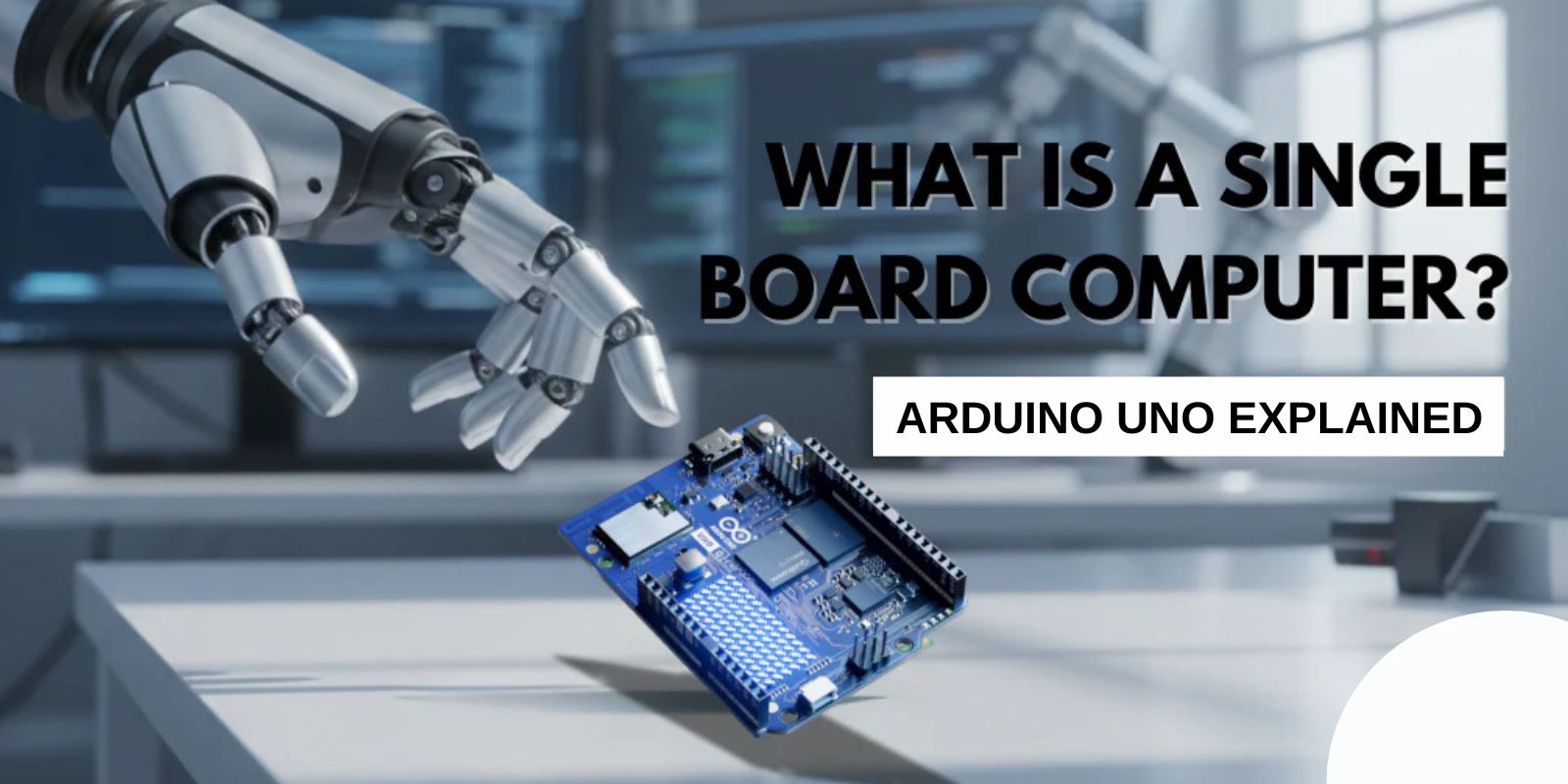
Single Board Computers (SBCs) have revolutionized the world of computing by providing a compact, efficient, and versatile solution for a wide range of applications. One of the most popular and widely used SBCs is the Arduino Uno. Whether you're a beginner looking to dive into the world of electronics or an experienced developer working on advanced projects, the Arduino Uno offers the flexibility and functionality to bring your ideas to life. In this blog, we will explore what a Single Board Computer is, how it differs from a traditional computer, and why the Arduino Uno is one of the best SBCs for various applications.
What Is a Single Board Computer (SBC)?
A Single Board Computer is a complete computer built on a single circuit board. Unlike traditional computers that have separate components like a processor, memory, and storage on different boards, an SBC integrates all these components onto one compact board. This integration helps reduce the physical footprint, power consumption, and cost, making SBCs ideal for embedded systems, DIY projects, and even industrial applications.
SBCs typically include:
Processor (CPU): The brain of the computer, responsible for executing instructions.
Memory (RAM): Temporary storage for running programs and processes.
Storage: For saving data and files.
I/O Ports: To connect peripherals like USB devices, monitors, and sensors.
Power Supply: To provide energy for the board.
SBCs come in various shapes, sizes, and configurations, but they all share one common feature: they are self-contained, making them easy to deploy in situations where space and energy efficiency are critical.
The Arduino Uno: A Brief Overview
The Arduino Uno is a microcontroller-based SBC, specifically designed for electronics projects and prototyping. Unlike more powerful SBCs like Raspberry Pi, the Arduino Uno is not a full-fledged computer but rather a development platform for creating hardware projects that can interact with the physical world. It is built around the ATmega328P microcontroller, which is a small, low-power chip capable of running simple programs that control external devices like motors, LEDs, and sensors.
Key Features of the Arduino Uno
Microcontroller: ATmega328P
Operating Voltage: 5V
Digital I/O Pins: 14 (6 of which can be used as PWM outputs)
Analog Inputs: 6
Clock Speed: 16 MHz
USB Connection: For power and communication with the computer
Memory: 32 KB flash memory, 2 KB SRAM, 1 KB EEPROM
These features make the Arduino Uno an excellent choice for beginners and professionals who want to create interactive and innovative projects. Whether you're building a weather station, a smart home device, or a robotic arm, the Arduino Uno provides the necessary components to get started.
How the Arduino Uno Works
Unlike traditional desktop computers, which rely on an operating system and run complex software applications, the Arduino Uno operates by executing simple programs written in Arduino's own programming language (a subset of C++). These programs, known as sketches, control the board's input and output pins, allowing it to interact with various components like sensors, actuators, and displays.
Once the sketch is written and uploaded to the Arduino Uno, the microcontroller runs the code in a continuous loop, performing tasks such as reading data from sensors or controlling outputs like motors or lights. Since the Arduino operates with real-time control, it is perfect for applications that require instant feedback or continuous monitoring, such as robotics, home automation, and IoT projects.
Applications of Arduino Uno in Various Industries
The Arduino Uno is widely used in education, hobbyist projects, and industrial applications. Here are a few ways in which this versatile SBC is being utilized across different fields:
1. Education
Arduino's simplicity and ease of use make it a popular choice in educational settings. Many schools and universities use the Arduino Uno to teach students about electronics, programming, and circuit design. With its hands-on learning approach, students can create projects like automated lighting systems, sound-sensitive devices, and even small robots.
2. IoT Projects
The Arduino Uno is also a great platform for building Internet of Things (IoT) projects. Although the Uno itself does not have built-in Wi-Fi or Bluetooth, you can easily add connectivity modules like the ESP8266 (for Wi-Fi) or the HC-05 (for Bluetooth) to enable wireless communication. This makes it possible to build smart home devices, weather stations, or remote-controlled gadgets that communicate over the internet.
3. Home Automation
Home automation is another area where the Arduino Uno shines. You can use the Arduino Uno to control household devices like lights, fans, or even your security system. By integrating sensors such as motion detectors, temperature sensors, and cameras, you can automate tasks like turning lights on when someone enters a room or adjusting the thermostat based on temperature readings.
4. Robotics
The Arduino Uno is widely used in the field of robotics. Whether you're building a simple robotic arm or a self-driving car, the Uno's versatility allows you to control motors, read sensor data, and process inputs from multiple sources. Its ability to integrate with other components, such as motor drivers and sensors, makes it a go-to platform for robotics enthusiasts and professionals.
5. Prototyping and Product Development
For developers working on new products or prototypes, the Arduino Uno provides a flexible platform to quickly test and iterate on ideas. Its low cost and wide availability of add-on modules (called "shields") allow for rapid prototyping, helping developers test their concepts before moving on to more complex designs.
Advantages of Using the Arduino Uno
Affordability: The Arduino Uno is incredibly cost-effective compared to other SBCs and development boards, making it accessible for hobbyists, students, and startups.
Ease of Use: With a simple programming environment and large community support, the Arduino Uno is beginner-friendly and easy to learn.
Wide Range of Sensors and Modules: There is a large ecosystem of add-ons (shields) and sensors available for the Arduino Uno, allowing users to extend its functionality and build complex systems.
Real-Time Operation: The Arduino operates in real-time, making it ideal for applications requiring precise timing or immediate responses to inputs.
Open Source: Both the Arduino hardware and software are open-source, which encourages collaboration and innovation within the community.
Conclusion
A Single Board Computer (SBC) like the Arduino Uno is an essential tool for electronics enthusiasts, engineers, and developers. It combines simplicity, affordability, and flexibility, making it suitable for a wide range of applications, from education and prototyping to home automation and IoT projects. Whether you're just starting in electronics or working on advanced systems, the Arduino Uno offers everything you need to bring your ideas to life and expand your technical skills.
If you're looking to dive into the world of Single Board Computers, the Arduino Uno is a fantastic starting point. Its large online community, abundant resources, and diverse applications make it one of the most popular and accessible SBCs available today.