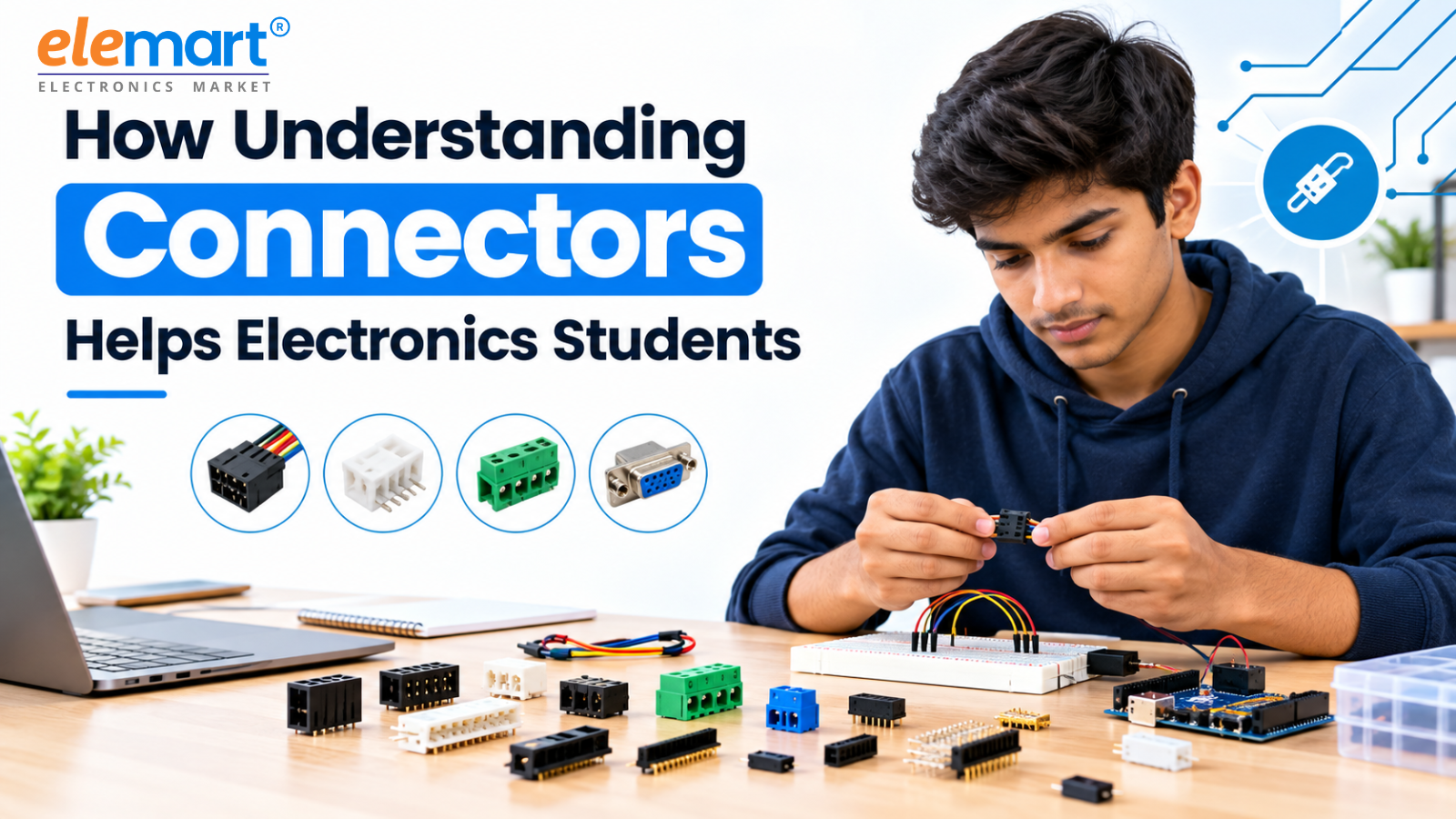
How Understanding Connectors Helps Electronics Students Build Better ProjectsEvery electronics student eventually learns an important lesson: a circuit is only as reliable as its weakest connection.
You can design a perfect schematic, select the right microcontroller, choose high-quality components, and write flawless code—but if a wire comes loose or a connector cannot handle the required current, the entire project can fail.
This is why understanding connectors in electronics is much more than a small technical detail. Connectors play a critical role in power delivery, signal transmission, mechanical stability, troubleshooting, and project reliability. For electronics students, learning how to select and use the right connector can make the difference between a fragile prototype and a dependable project that performs consistently.
Whether you are building an Arduino project, robotics system, IoT device, drone, automation system, or embedded electronics prototype, choosing the right electrical connectors should be part of the design process from the beginning.
Why Connectors Deserve More Attention in Electronics Education
Most electronics courses understandably focus on components such as resistors, capacitors, ICs, transistors, sensors, and microcontrollers. Connectors, however, are often treated as an afterthought—something students simply pick from a component box when they need to join two wires or boards.
In practice, connectors are an essential part of almost every electronic system.
A connector determines how reliably power and electrical signals move between different parts of a circuit. It also affects how easily a project can be assembled, tested, modified, repaired, and transported.
For students, developing a good understanding of connector types and applications can provide several practical advantages:
- Faster and cleaner prototyping
- Easier troubleshooting and maintenance
- Safer power connections
- Better signal reliability
- Easier replacement of modules
- Stronger mechanical connections
- Reduced risk of wiring mistakes
- More professional-looking final projects
This becomes particularly important as student projects become more sophisticated. A modern project may combine a microcontroller, sensors, motor drivers, communication modules, displays, batteries, and power supplies. Every connection between these subsystems creates another potential failure point.
Understanding connectors helps students identify and control those risks.
The Three Important Roles of Connectors in Electronics
A connector does much more than simply join two wires. It performs three important functions within an electronic system.
1. Power Delivery
Connectors are frequently responsible for carrying electrical power from a battery, adapter, or power supply to the circuit.
The connector must be capable of safely handling the required voltage and current. If its rating is too low, excessive resistance can result in voltage drops, heat generation, unstable operation, or even physical damage.
This is especially important in projects involving DC motors, robotics, drones, battery-powered systems, and high-current loads.
Students should therefore always check the connector's current rating, voltage rating, wire compatibility, and terminal specifications before using it.
2. Signal Integrity
Connectors also carry data and control signals. Examples include I2C, SPI, UART, analog sensor signals, and digital GPIO connections.
These signals can be sensitive to poor contacts, loose connections, electrical noise, and incorrect wiring.
For example, a sensor that works perfectly on a breadboard may suddenly stop responding when moved into a prototype enclosure. The problem may not be the sensor or the code—it could simply be an unreliable connector or loose contact.
Learning to inspect connectors should therefore become part of every student's electronics troubleshooting process.
3. Mechanical Assembly
Connectors also influence the physical structure of a project.
A good connector allows students to disconnect and replace a module without repeatedly soldering and desoldering wires. This is particularly useful during testing and design revisions.
For projects exposed to vibration, movement, or repeated handling, connectors with locking mechanisms and appropriate strain relief can prevent accidental disconnections.
In other words, connector selection affects both the electrical performance and mechanical reliability of an electronics project.
Key Connector Types Every Electronics Student Should Know
Understanding common electronic connector types gives students a practical foundation for building and troubleshooting circuits.
Power Connectors
Common options include DC barrel connectors, screw terminals, XT30, XT60, and other power connectors.
These are frequently used in battery-powered projects, robotics, motor systems, and development platforms.
When selecting a power connector, students should consider current capacity, voltage rating, wire size, polarity, and whether the connection needs a locking mechanism.
Using an undersized connector in a high-current application can result in excessive heating and unreliable operation.
JST Connectors
JST connectors are widely used for compact electronics and module-to-wire connections. Their small size makes them useful in sensors, battery connections, development boards, and compact embedded systems.
However, students should remember that "JST" does not refer to one universal connector. Different JST families can have different pitch, dimensions, pin configurations, and mating requirements.
Checking the exact connector series is essential before assuming compatibility.
Dupont Connectors and Pin Headers
Dupont-style connectors and pin headers are extremely common in educational electronics and prototyping.
They are useful for connecting development boards, sensors, displays, and modules. They also make it easy to change wiring during experimentation.
However, friction-fit connections may not be ideal for applications involving significant vibration or movement. For more demanding projects, students should consider connectors with stronger retention or locking features.
PCB Terminal Blocks and Screw Terminals
PCB terminal blocks and screw terminals are particularly useful when wires need to be connected directly to a circuit board.
They are popular in power supplies, automation projects, motor controllers, and prototypes because wires can be connected or removed without soldering.
For students working through multiple design revisions, this flexibility can save considerable time and reduce unnecessary board damage.
Board-to-Board Connectors
Board-to-board connectors allow two PCBs to communicate or physically connect with each other.
Examples include stacked development-board designs, expansion boards, Arduino shields, and Raspberry Pi HAT-style systems.
Correct pin alignment, pitch, orientation, and mating compatibility are essential. A connector installed incorrectly can cause incorrect signals or, in some situations, short circuits.
Plug-and-Socket Connectors
Plug-and-socket connectors are used across a wide range of electronics applications.
They make it possible to quickly connect and disconnect modules, wiring harnesses, power sources, and control units.
For students, this modularity can make testing much easier. A sensor board, for example, can be removed and replaced without rebuilding the entire circuit.
Common Connector Mistakes Electronics Students Make
Even students with strong circuit-design skills can overlook connectors.
Some of the most common mistakes include:
- Ignoring current ratings: Using a small connector for a high-current motor or battery circuit can cause overheating.
- Assuming connectors are interchangeable: Similar-looking connectors may have different pitch, pin layouts, or mating systems.
- Ignoring polarity: Reversing positive and negative connections can damage sensitive components.
- Skipping strain relief: Repeated movement can pull directly on wires and connector contacts.
- Using unsuitable wire sizes: The connector and wire should be compatible with the expected electrical load.
- Forgetting mechanical requirements: A friction-fit connector may disconnect when exposed to vibration.
- Mixing incompatible connector families: Similar appearance does not guarantee compatibility.
- Failing to test connections under load: A connection that works with no load may fail when current demand increases.
These mistakes can lead to intermittent faults that are particularly difficult to diagnose.
How Connector Selection Improves Project Reliability
A successful electronics project should do more than work once on a laboratory bench. It should continue working when moved, handled, tested repeatedly, or operated for extended periods.
This is where connector reliability becomes important.
In robotics, vibration can gradually loosen weak connections. In IoT systems, an unreliable connection can cause unexpected resets or sensor failures. In drones, connectors must balance secure retention with size and weight. In automation projects, connectors may need to withstand repeated assembly and environmental conditions.
Choosing appropriate connectors helps reduce these risks.
More importantly, good connector selection makes troubleshooting easier. When connections are secure, students can eliminate one major source of intermittent faults and focus their attention on the actual circuit or software.
A Practical Connector Buying Guide for Students
Before purchasing an electronic connector, students should check several important specifications.
Current and Voltage Rating
Make sure the connector can safely handle the circuit's expected electrical load. It is good practice to allow a reasonable safety margin rather than selecting a connector that is rated exactly at the expected maximum.
Pitch and Pin Count
For multi-pin connectors, verify the pitch, number of pins, and connector dimensions. Do not rely only on appearance.
Locking Mechanism
Projects involving movement or vibration should generally use connectors with a positive locking mechanism rather than relying solely on friction.
Wire Gauge Compatibility
Check that the connector's terminals are designed for the wire size being used. A mismatch can result in poor contact or mechanical failure.
Mounting Style
Consider whether you need a PCB-mount, through-hole, surface-mount, panel-mount, or wire-to-wire connector.
The mounting style should fit both the circuit board and the project's enclosure.
Polarity and Keying
For power connections, clearly identify positive and negative terminals. Keyed connectors can also help prevent incorrect insertion.
Building Better Connector Habits for Future Projects
Learning about connectors is not about memorizing hundreds of part numbers. It is about developing the habit of asking the right questions before connecting two parts of a circuit.
Students should get into the habit of checking:
What current will this connection carry?
What signals will pass through it?
How often will it be disconnected?
Will the project experience vibration or movement?
Does the connector have adequate retention?
Is the connector compatible with the wire, PCB, and mating part?
These questions encourage better engineering decisions.
Students should also consider standardizing connector families within a project whenever possible. Consistent connector choices make future maintenance, troubleshooting, and replacement much easier.
Where to Source Reliable Connectors for Student Projects
Having access to reliable and properly specified components makes building electronics projects much easier. Students need more than microcontrollers and sensors they also need the connectors, terminal blocks, headers, wiring accessories, and power components that allow those parts to work together reliably.
For students and electronics enthusiasts looking for these components, Elemart offers a range of electronic components and connector solutions, including power connectors, PCB terminal blocks, pin headers, plug-and-socket connectors, microcontrollers, sensors, and development boards.
Having the necessary components available from one source can simplify project planning and help students spend less time searching for compatible parts and more time building, testing, and improving their designs.
Final Thoughts
Understanding connectors helps electronics students build better projects because connectors influence almost every aspect of a circuit from power delivery and signal integrity to mechanical stability and maintenance.
A connector may be a small component, but its impact on overall project performance can be significant.
By learning about connector types, current ratings, voltage ratings, pin configurations, pitch, locking mechanisms, wire compatibility, and mounting options, students can avoid common wiring problems and create projects that are safer, more reliable, and easier to maintain.
The next time you design an electronics project, don't treat the connector as an afterthought. Give it the same attention you give your microcontroller, sensors, and other major components.
Because sometimes, the smallest connection is what determines whether the entire project works.
Build smarter. Connect reliably. Create better electronics projects.