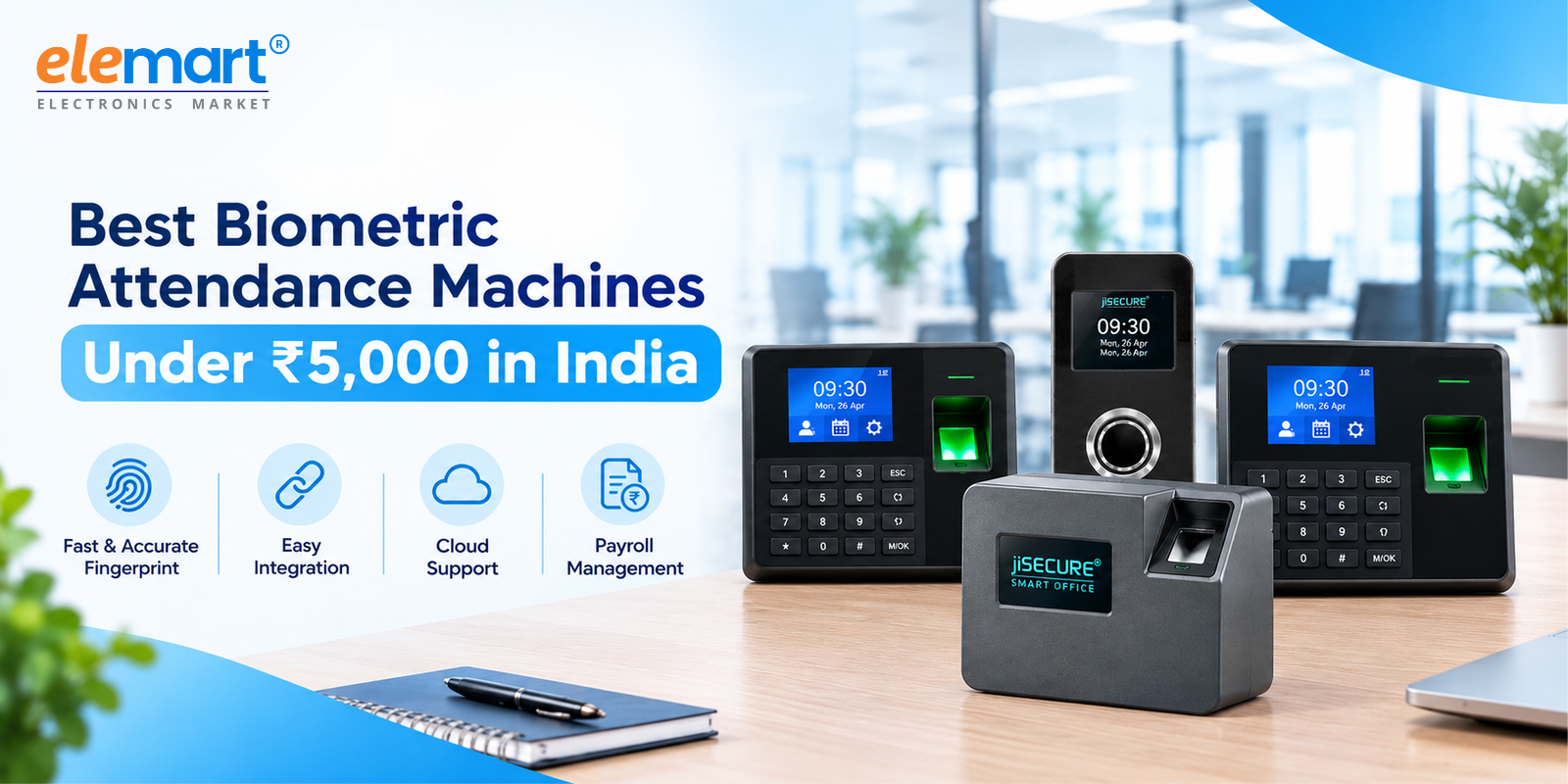
Managing employee attendance accurately is essential for businesses of every size. From small offices and retail shops to schools, warehouses, and manufacturing facilities, organisations need a reliable way to record employee working hours and maintain attendance records.
Traditional attendance registers and spreadsheets often require considerable administrative effort. They can also lead to calculation errors, missing entries, and difficulties when preparing monthly payroll. A biometric attendance machine offers a more organised approach by recording employee check-in and check-out times through fingerprint authentication or other supported identification methods.
For businesses working with a limited budget, finding the best biometric attendance machine under ₹5,000 in India can be a practical starting point. However, choosing the right device involves more than comparing prices. Connectivity, attendance management software, employee capacity, data security, and payroll compatibility are equally important.
In this guide, we compare 10 biometric attendance machine options from different brands, including jiSECURE XS1000 and jiSECURE XS200, alongside models from CP Plus, eSSL, ZKTeco, Hikvision, Realtime, Secureye, Biomax, and Intex.
We also explain how live attendance integration works, what payroll compatibility means, and which features businesses should evaluate before purchasing an employee attendance system.
Why Do Businesses Need a Biometric Attendance Machine?
A biometric attendance machine helps businesses replace manual attendance tracking with a digital process. Employees register their fingerprints or another supported identifier, allowing the system to record attendance when they check in or out.
Depending on the model and software, the recorded information can be used to prepare attendance reports, review working hours, identify missing punches, and organise data for payroll processing.
Key Benefits of Biometric Attendance Systems
1. Reduced manual work: Digital attendance recording reduces the need to maintain paper registers and manually enter every attendance entry.
2. Improved accountability: Biometric identification makes it more difficult for employees to mark attendance on behalf of colleagues than conventional paper registers or shared PINs.
3. Easier attendance reporting: Compatible software can organise attendance records into daily, weekly, and monthly reports.
4. Simplified payroll preparation: Accurate attendance information helps HR teams calculate payable days and review attendance exceptions before salary processing.
5. Better record management: Digital records can make it easier to retrieve historical attendance information when required.
6. Affordable automation: Entry-level biometric machines can help small businesses begin digitising attendance without investing in a large enterprise system.
Comparison of 10 Biometric Attendance Machines in India
The following table provides a shortlist of 10 models to investigate when comparing biometric attendance solutions around the ₹5,000 budget.
| No. | Brand and Model | Main Feature to Evaluate | Live Attendance and Payroll |
|---|---|---|---|
| 1 | jiSECURE XS1000 | Wi-Fi fingerprint attendance and included software, as listed | Confirm automatic synchronisation and payroll compatibility |
| 2 | jiSECURE XS200 | Check the exact model specifications | Confirm connectivity and supported software |
| 3 | CP Plus CP-VTA-T2324-U | Fingerprint attendance | Verify communication and reporting options |
| 4 | eSSL Identix LX16 | Fingerprint attendance | Confirm software compatibility |
| 5 | ZKTeco LX50 | Fingerprint attendance | Verify supported communication methods |
| 6 | Hikvision DS-K1A802AEF | Fingerprint attendance and USB reporting, as listed | Check whether the required network integration is supported |
| 7 | Realtime C101 | Fingerprint attendance and Excel output, as listed | Confirm whether records require manual export |
| 8 | Secureye S-B4CB | Fingerprint and card attendance, as listed | Verify connectivity and software support |
| 9 | Biomax N-WL20 | Fingerprint attendance with Wi-Fi and USB, as listed | Confirm automatic synchronisation |
| 10 | Intex Time Access | Verify the exact model and authentication options | Confirm reporting and payroll compatibility |
Prices and specifications vary by model, seller, and availability. This is a comparison shortlist, not a guarantee that every listed model is currently available for under ₹5,000. Verify the exact model, price, connectivity, and software requirements before purchasing.
1. jiSECURE XS1000 Wi-Fi Biometric Fingerprint Attendance Machine
The jiSECURE XS1000 is an option for businesses seeking an affordable fingerprint attendance machine with Wi-Fi connectivity and attendance management software.
Listed on Elemart, this model is advertised with a capacity of up to 1,000 users. It can be considered for offices, shops, educational institutions, warehouses, and other workplaces that require digital employee attendance records.
Key Features
Fingerprint-based employee attendance.
Wi-Fi connectivity, as advertised.
Attendance management software included with the listed product.
Advertised user capacity of up to 1,000 users.
Digital attendance records and reporting.
Live Attendance and Payroll Compatibility
The Wi-Fi capability can support wireless communication, but the actual attendance workflow depends on the device configuration and compatible software.
Businesses should confirm whether punches synchronise automatically, whether a computer must remain connected, and whether attendance information can be transferred to their existing payroll platform.
Who Should Consider It?
The jiSECURE XS1000 is worth evaluating for businesses that want a fingerprint-based attendance solution with wireless connectivity and included software. Its suitability for live attendance and payroll depends on the specific integration requirements.
Previously listed price: ₹2,999. Check the current listing for the latest price and availability.
Product link: jiSECURE XS1000 on Elemart
2. jiSECURE XS200 Biometric Attendance Machine
The jiSECURE XS200 is another model to consider when comparing biometric attendance machines for small and growing businesses.
When selecting an attendance device, buyers should examine employee capacity, attendance-log storage, authentication methods, connectivity, and software compatibility. These specifications determine whether a machine meets the requirements of a particular workplace.
What Should Businesses Check?
Employee capacity: Confirm how many employee registrations the model supports.
Connectivity: Check whether the device supports Wi-Fi, USB, Ethernet, or another communication method.
Attendance software: Verify whether software is included and which reports it can generate.
Live synchronisation: Confirm whether attendance punches transfer automatically to compatible software.
Payroll compatibility: Check whether the required payroll system supports direct integration or attendance-file imports.
Warranty and support: Review installation assistance, warranty coverage, and technical support.
Product link: jiSECURE XS200 on Elemart
Live Attendance and Payroll Compatibility
Biometric attendance recording and payroll integration are separate capabilities. A machine may record fingerprints successfully but still require attendance records to be exported before they can be processed by payroll software.
Before selecting the jiSECURE XS200, businesses should verify its exact specifications and confirm the supported attendance workflow.
Price: Check the current Elemart listing for confirmed pricing and availability.
The XS200 can be included in a comparison shortlist, but its final ranking should depend on its verified features, current price, and compatibility with the buyer's software.
3. CP Plus CP-VTA-T2324-U
CP Plus offers biometric products for organisations that want to improve employee attendance management. The CP-VTA-T2324-U is one model to investigate when comparing fingerprint attendance machines in the entry-level category.
Businesses should evaluate its supported communication methods, attendance-reporting capabilities, and compatible software before purchasing.
For organisations that require automatic attendance updates, it is particularly important to determine whether records can be transferred automatically or must be downloaded manually.
Best suited for: Buyers seeking a conventional fingerprint attendance solution after confirming its current specifications and software requirements.
4. eSSL Identix LX16
eSSL is a recognised brand in the biometric attendance market. The Identix LX16 is another model buyers can evaluate for employee time tracking.
Before purchasing, check the device's fingerprint capacity, attendance-log storage, communication interfaces, reporting options, and supported software.
Integration consideration: Confirm whether the intended setup supports automatic synchronisation or relies on local software and manual report exports.
Best suited for: Businesses comparing entry-level fingerprint attendance systems and their associated software options.
5. ZKTeco LX50
ZKTeco offers biometric attendance and access-control products for different business environments. The LX50 is a model to investigate when comparing budget fingerprint attendance devices.
The most important factors are employee registration capacity, attendance storage, communication options, and software compatibility.
Integration consideration: Verify whether the exact model supports the required method of data transfer and whether its software can prepare reports for payroll processing.
Best suited for: Businesses comparing fingerprint attendance products from established biometric hardware brands.
6. Hikvision DS-K1A802AEF
Hikvision offers attendance and access-control products for commercial applications. The DS-K1A802AEF is listed as a fingerprint attendance device with USB reporting.
A standalone device with report downloads may be sufficient for organisations that do not need continuous attendance synchronisation.
Integration consideration: USB report downloads are different from live attendance integration. Businesses requiring automatic updates should verify the exact model's communication and software capabilities.
Best suited for: Workplaces that can manage attendance through periodic report downloads.
7. Realtime C101
The Realtime C101 is listed as a fingerprint attendance machine with Excel output, which can help businesses organise attendance information in spreadsheets.
This approach can be practical for smaller organisations that calculate working days and prepare payroll summaries through Excel.
Integration consideration: Excel output does not necessarily mean that attendance is updated automatically. Check whether data must be exported manually and whether the resulting file is compatible with the payroll application.
Best suited for: Businesses using spreadsheet-based attendance and payroll workflows.
8. Secureye S-B4CB
The Secureye S-B4CB is a model to compare for businesses interested in fingerprint and card-based attendance options.
The exact authentication methods, connectivity, and software support should be verified against the product specifications before purchasing.
Integration consideration: Confirm how attendance records reach the management software and whether the required reporting and payroll workflow is supported.
Best suited for: Buyers comparing biometric attendance devices with additional identification options.
9. Biomax N-WL20
The Biomax N-WL20 is listed with fingerprint attendance and Wi-Fi and USB communication options. These features make it relevant to businesses comparing different methods of attendance data transfer.
However, connectivity alone does not guarantee live attendance synchronisation.
Integration consideration: Ask the supplier about automatic data transfer, offline record storage, synchronisation after a network interruption, and compatibility with payroll software.
Best suited for: Businesses evaluating wireless attendance reporting within a limited budget.
10. Intex Time Access
Intex Time Access devices provide another option to investigate when comparing biometric attendance products. Exact specifications may vary between models, so buyers should identify the precise product version before making a decision.
Check the supported authentication methods, employee capacity, attendance storage, communication interfaces, and software requirements.
Integration consideration: Confirm whether the chosen model supports automatic attendance transfer or requires manual report collection.
Best suited for: Buyers comparing entry-level attendance systems against their workplace requirements and available budget.
What Is Live Attendance Integration?
Live attendance integration allows employee punches to transfer automatically from a biometric machine to compatible attendance management software. Depending on the solution, records may appear almost immediately or synchronise at scheduled intervals.
A typical workflow is:
Employee fingerprint → Biometric machine → Attendance software → Attendance reports → Payroll processing
A connected system can reduce repetitive data entry and help HR teams review attendance records more efficiently.
However, a Wi-Fi connection alone does not guarantee live integration. The device, software, and communication method must work together.
Before buying a biometric attendance machine, ask these questions:
Does attendance synchronise automatically?
Is a computer or local application required?
Can the system manage shifts, leave, and overtime?
What happens when the network connection fails?
Can records be exported to Excel or CSV?
Is the payroll platform compatible with the device and software?
Understanding Payroll Integration
Payroll integration connects employee attendance information with the process of calculating salaries.
Depending on the software, attendance records may be transferred through a direct integration, an API, a supported connector, or Excel/CSV imports.
For example, an attendance report may contain present days, absences, late arrivals, approved leave, and working hours. Payroll software can use this information according to the organisation's salary structure and attendance policies.
A biometric machine does not necessarily calculate salaries, overtime payments, leave deductions, or statutory contributions by itself. Those tasks depend on the payroll software and the organisation's rules.
Businesses should therefore verify the complete attendance-to-payroll workflow before purchasing a device.
How to Choose the Best Biometric Attendance Machine Under ₹5,000
Consider the following factors before making a purchase.
1. Employee Capacity
Check registered-user capacity and attendance-log storage separately. A machine may support a particular number of employees but have different limits for stored attendance events.
2. Connectivity
USB may be sufficient for periodic reporting, while Wi-Fi or Ethernet may be more suitable for automatic data transfer when supported by the software.
3. Attendance Software
Confirm whether software is included, whether it requires a subscription, and whether it supports the reports and shift rules your organisation needs.
4. Payroll Compatibility
Identify the payroll application you use and confirm whether it supports direct integration, an API, a connector, or file imports.
5. Data Security
Biometric information is sensitive. Check how fingerprint templates and attendance logs are stored, who can access them, and how employee information is protected.
6. Warranty and Technical Support
Review the warranty, installation requirements, replacement policy, and availability of technical support.
7. Total Cost
Include the hardware price, applicable taxes, installation, software subscriptions, and integration fees when comparing products.
Conclusion
Choosing the best biometric attendance machine under ₹5,000 involves evaluating more than the purchase price. Employee capacity, connectivity, attendance reporting, payroll compatibility, data security, and after-sales support all contribute to the value of a complete attendance solution.
Models from CP Plus, eSSL, ZKTeco, Hikvision, Realtime, Secureye, Biomax, and Intex offer options to investigate, while the jiSECURE XS1000 and jiSECURE XS200 provide two additional models to compare from the jiSECURE range.
The jiSECURE XS1000 is listed with Wi-Fi connectivity and attendance management software, while the XS200's exact specifications should be checked before purchase. Businesses that require live synchronisation or automated payroll should verify these capabilities against their intended software.
By comparing the complete device-and-software setup, organisations can select a biometric attendance system that fits their budget, supports reliable attendance recording, and helps simplify employee attendance management.
Frequently Asked Questions
1. Which is the best biometric attendance machine under ₹5,000 in India?
The best choice depends on the organisation's requirements. The jiSECURE XS1000 is worth considering for its advertised Wi-Fi connectivity, included attendance software, and capacity of up to 1,000 users. The jiSECURE XS200 and other listed models should be evaluated using their verified specifications, current prices, and software compatibility.
2. Which biometric attendance machines support live attendance integration?
Some machines support automatic data transfer through compatible software. The exact capability depends on the model and configuration. Verify the synchronisation method, software requirements, and network support before purchasing.
3. Can a biometric attendance machine integrate with payroll software?
Yes. Compatible systems can transfer attendance information through direct integration, supported connectors, APIs, or Excel/CSV imports. The available method depends on the device and payroll platform.
4. Is Wi-Fi enough for automatic payroll processing?
No. Wi-Fi enables wireless communication, but automatic payroll processing also requires compatible attendance software and a supported connection to the payroll system.
5. Does a biometric machine automatically calculate salaries?
Not necessarily. The machine generally records attendance events. Salary calculations require payroll software that applies attendance policies, leave rules, overtime settings, and the organisation's salary structure.
6. What is the difference between live attendance and Excel reporting?
Live attendance involves automatic data transfer to compatible software. Excel reporting usually involves exporting or downloading records into a spreadsheet, which may require additional manual processing.
7. What should I check before buying a jiSECURE attendance machine?
Check the exact model specifications, current price, employee capacity, connectivity, included software, supported reports, warranty, and payroll compatibility. For the XS200 in particular, confirm its current product specifications before relying on any specific integration feature.
Explore the jiSECURE XS1000 on elemart:
View product details